PR TOUR · v0.8.0
A guided tour
of your pull request.
Start with the context, then follow the change in plain language. Compare code in Unified or Split view, expand unchanged lines, and open function definitions without losing your place.
The example follows Starlette PR #2041: five changed files, eight reading steps, thirteen definition previews.
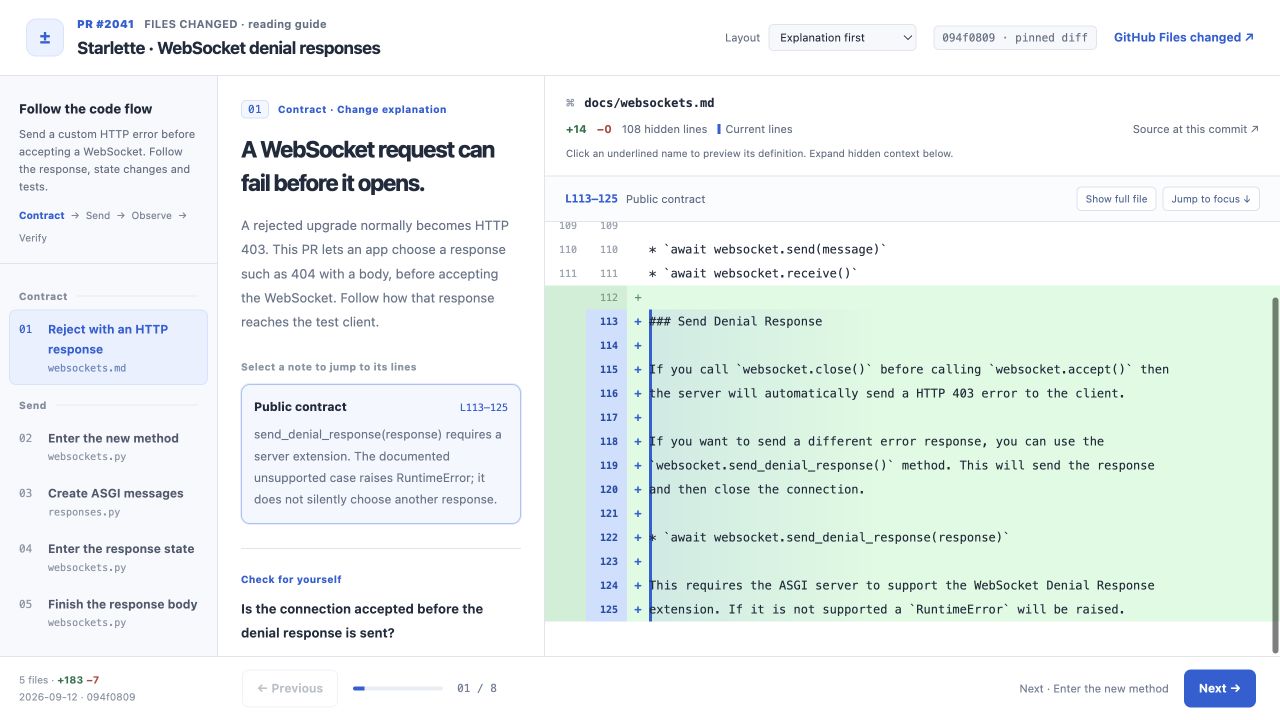 WHY THIS STEP FOLLOWS
Inspect the connection.
Expand the source behind a step-to-step explanation, including unchanged callbacks and wiring. Source cited, Includes inference, and Reading order distinguish cited connections, unresolved details, and moves made for understanding. Citations remain available offline.
Need more space for an excerpt? Drag the vertical dividers to resize adjacent panes on desktop. Your browser remembers the widths; double-click a divider to reset them.
The builder checks source text and ranges. The agent authors the connection; the labels and counts do not certify an execution path.
다음 단계로 이어지는 코드 근거를 펼쳐보세요. 추론이 포함된 연결에는 확인하지 못한 부분을 함께 표시합니다. 데스크톱에서는 영역 사이의 경계를 드래그해 폭을 조절할 수 있습니다.
Follow the message queue → · 연결 근거 보기 →
READ ON YOUR PHONEFollow the next code point.
Next code follows each explanation note and brings its lines into view. Stay in the code as you move between steps, and use Expand for more reading space. Open Guide when you need the explanation.
Wrapping, full-file context, and source links live in the ⋯ tools. It all stays in one HTML file that works offline.
다음 코드로 설명 포인트를 따라가고, 크게 보기로 코드 공간을 넓혀보세요. 필요할 때 설명을 확인하고 코드로 돌아올 수 있습니다.
Try the updated demo → · 한국어 데모 →
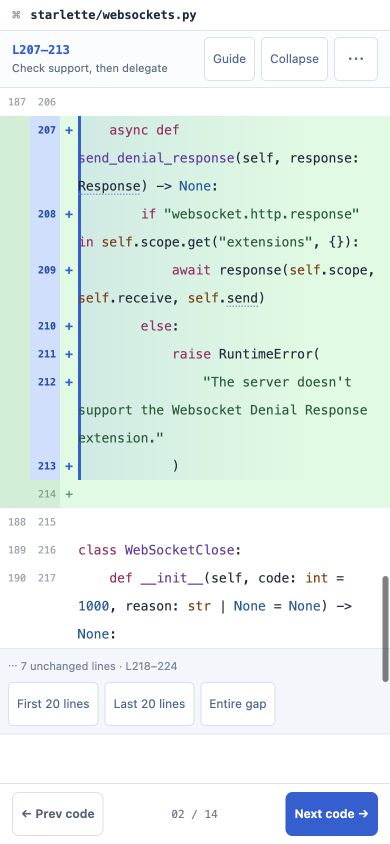 Expanded code view · 390 × 844 browser viewport
LEAVE FEEDBACK AS YOU READ
Select a source line or range and leave a question or suggestion. Edit comments in one list, jump back to their code, then use Copy for AI or Download JSON.
Copy for AI gives you concise feedback with links to the exact source lines. Download JSON keeps a complete backup, including source code and metadata, for Import JSON in another browser with the same guide snapshot. Review duplicates and conflicting edits before importing. Saved comments stay in this browser; they are not written into the HTML file.
코드 줄에 남긴 의견과 파일·줄 링크만 간결하게 복사해 AI 대화에 전달하세요. 코드 원문과 메타데이터를 포함한 전체 백업은 JSON으로 다운로드하고 다시 불러올 수 있습니다.
Try comments → · 코멘트 사용해 보기 →
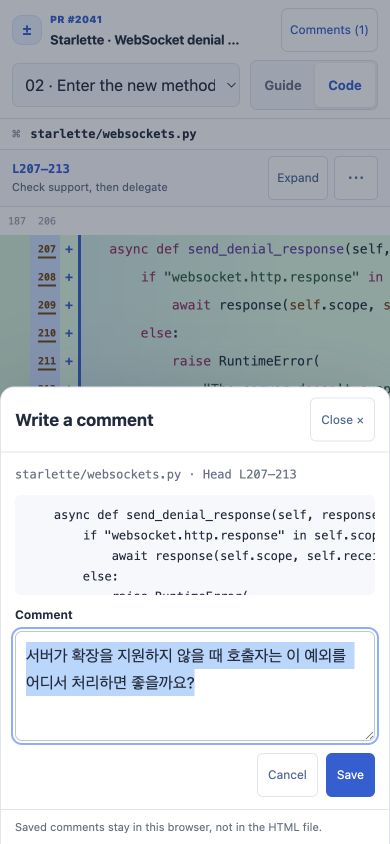 Example reader comment · 390 × 844 browser viewport
Get the skill on GitHub →
Update your installation · Release notes
A standalone HTML artifact. No sign-in or server needed to read a downloaded guide.